Float for Brainrots: 2 Player Boat Survival Game
Browser Game2-Player Boat & Brainrot Collecting Game. Sail from rafts to speedboats, dodge sharks and haul rare Brainrots back to base.


Float for Brainrots Keyboard & Mouse Controls
More Free Games You'll Love



About Float for Brainrots
Float for Brainrots drops you onto open water on a fragile starter raft with one urgent mission: sail out into deeper seas, scoop up rare Brainrot characters, and haul them back to base before the timer runs out or prowling sharks ruin your trip. Every expedition becomes a gamble between banking safe nearby finds or pushing farther offshore for high-value loot.
Progression revolves around three tight upgrades: stronger boats that hold together farther out, higher movement speed to outpace sharks and beat the clock, and larger carry capacity so every voyage pays off. Stepping onto safe islands along the way gives you breathing room to scout routes and reset risk before diving back into shark-patrolled channels.
Once your fleet and collection plateau, the Rebirth button (T for Player 1, Y for Player 2) resets temporary boat tiers for permanent scaling bonuses—letting subsequent expeditions reach deep-water Brainrots that were completely out of range on your first raft.
Even better, Float for Brainrots supports two players on the exact same keyboard with dedicated Interact, Upgrade, and Rebirth keys for both sides, making it an easy pick for shared Chromebook or desktop sessions with no download.
Managing risk-versus-timer pressure makes each sea trip feel brisk and decisive. Pushing deep into shark-filled currents with only ten seconds remaining rarely pays off compared to banking a steady load onto your dock, upgrading speed with Q or U, and launching right back out with a wider margin.
Watching a shaky starter raft evolve into a quick, roomy vessel—and eventually chaining Rebirths to chase the rarest ocean Brainrots—gives both solo players and two-player rivals a clear, rewarding sense of escalation.
Map awareness matters more as you push farther offshore. Memorizing which islands sit closest to deep Brainrot spawns lets you break up risky swims, outwait circling sharks, and turn tight timer runs into clean round-trip hauls.
With zero downloads or account barriers and crisp shared-keyboard 2-player support, Float for Brainrots delivers immediate cooperative or competitive fun in any modern browser.
Balancing quick early boat upgrades against saving up for a major Rebirth push keeps every trip across the shark-filled sea purposeful—there is always a faster hull or rarer ocean spawn waiting just past the next island.
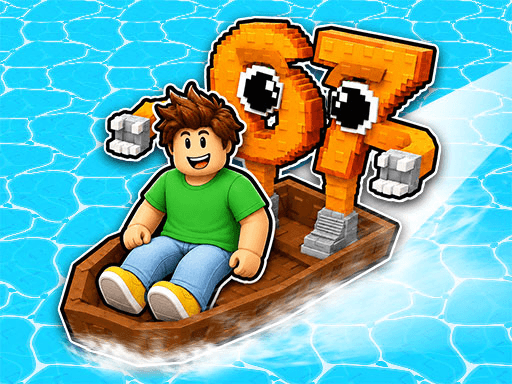
Float for Brainrots Key Features & Highlights
Start on a tiny raft and unlock faster, higher-capacity vessels to explore deeper water.
Watch the clock, weave past patrolling sharks, and hop onto islands to stay alive.
Player 1 and Player 2 can sail, collect, upgrade, and Rebirth independently on one keyboard.
Trigger Rebirth (T or Y) to reset for stronger long-term scaling and rarer catches.
Runs straight in WebGL with zero downloads, accounts, or installers.
How to Play Float for Brainrots - Rules, Goals & Controls
- 1Pick Solo or 2-Player mode and launch from your home dock on the starter raft.
- 2Steer out over the water with WASD (P1) or Arrow keys (P2) and collect drifting or island Brainrots with E / O.
- 3Watch both your countdown timer and nearby sharks—use islands as stepping stones and return to base in time.
- 4Bank your haul at base to earn currency, then press Q (P1) or U (P2) to upgrade boat speed and carry capacity.
- 5When upgrades slow down, press T (P1) or Y (P2) to Rebirth and unlock deeper high-reward waters.
Float for Brainrots Pro Tips & High-Score Strategies
- Upgrade boat speed and carry capacity together—a giant hold is wasted if a slow raft runs out of timer before reaching base.
- Plan island-to-island arcs rather than sailing straight into open shark lanes with a full inventory.
- Bank early catches quickly when starting a fresh Rebirth tier instead of risking a long deep-sea trip on a weak raft.
- In 2-player mode, split left and right sea lanes so you do not fight over the same shallow spawns.
- Keep an eye on your return buffer; turning back with ten seconds left is safer than chasing one extra spawn.
- Prioritize unlocking the next boat tier as soon as you can afford it—faster hulls open distant Brainrot spawns that lower boats simply cannot reach in time.
This guide describes the version hosted on JoyArc. Explore more Arcade games.