Platypus Coffee: Coffee Shop Game 3D
JoyArc OriginalCozy 3D Coffee Shop Game & Barista Simulator. Brew espresso, lattes, matcha, and croissant combos for animal regulars.

The game interface supports both English and Simplified Chinese with instant switching. Shift coins, star ratings, and shop upgrades are saved locally in your browser.
Days, coins, stars, and shop upgrades save locally in this browser.
Platypus Coffee Keyboard & Mouse Controls
More Free Games You'll Love

About Platypus Coffee
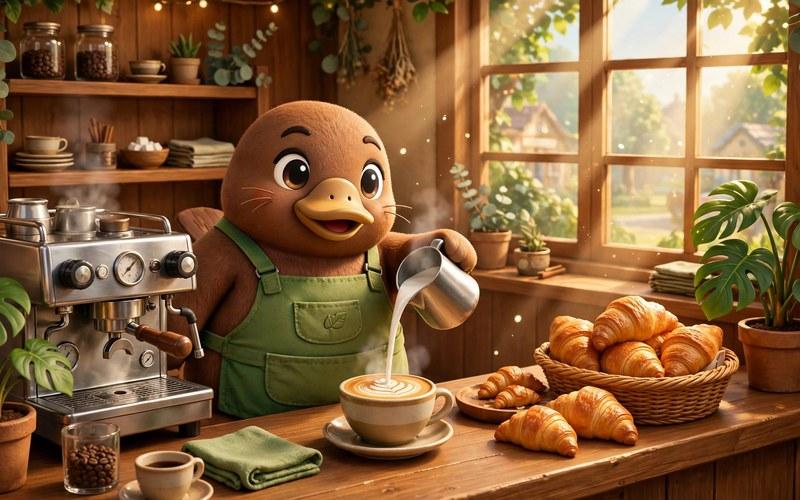
Platypus Coffee invites you behind the warm oak counter of a bustling neighborhood cafe run by an apron-wearing platypus barista. Built in Three.js with tiled walls, warm café lighting, and lively animal regulars—foxes, bunnies, bears, cats, ducks, and owls—every shift challenges you to craft accurate drinks and pastry pairings before customer patience fades.
Each order follows crisp, readable recipes across four stations on the bottom dock. An Espresso pairs fresh ground beans with a rich brew pull; a Cafe Latte swaps the second step for steamed milk; a Matcha Latte whisks matcha with milk; and combo orders add a flaky croissant from the pastry tray. You can queue station steps cleanly or tap hotkeys one through four on desktop.
Fast, accurate service builds a streak combo and earns bonus tip coins alongside shift stars. Because multiple regulars queue at the counter simultaneously with visible patience bars, choosing whether to finish a single latte first or batch two stations efficiently creates an engaging time-management rhythm without overwhelming clutter.
Between shifts—or whenever you open the Shop drawer—coins earned from satisfied customers unlock permanent cafe upgrades. Investing in a faster bean grinder or milk frother trims preparation time on busy days, while cozy decor items like potted plants, warm fairy lights, and a pastry display stand visibly appear inside the 3D counter scene and boost atmosphere.
Progress across days, earned coins, stars, best combo streak, and purchased upgrades save automatically in your browser's local storage. Switch freely between English and Simplified Chinese at any point and run your cozy platypus coffee shop on desktop or mobile with zero downloads.
As you advance through later shifts, orders naturally layer up from simple single espressos to busy three-customer rushes combining cafe lattes, whisked matcha, and golden croissants. Managing that rush feels tactile rather than stressful because every station plays a distinct brewing animation and chime, giving you clear feedback while you plan the next tray. Returning regulars also make the cozy 3D counter feel alive, turning small daily earnings into visible plants, warm string lights, and a bustling pastry showcase.
Platypus Coffee Key Features & Highlights
Prepare Espresso, Cafe Latte, Matcha Latte, and croissant combo platters across four interactive counter stations.
Serve visiting foxes, bunnies, bears, cats, ducks, and owls across a warm oak and ceramic-tiled 3D shop interior.
Click stations or tap keys 1–4 to queue ingredients smoothly while your platypus barista finishes the active step.
Upgrade grinder and frother speeds to keep pace with later shifts, and add plants, fairy lights, and a pastry stand to the 3D counter.
Save coins, day count, and upgrades locally in your browser while switching seamlessly between English and Simplified Chinese.
How to Play Platypus Coffee - Rules, Goals & Controls
- 1Click Start Shift on the cafe counter screen to open the shop for Day 1.
- 2Read the recipe bubble above each waiting animal customer at the counter.
- 3Press 1–4 or tap the Espresso, Steamer, Matcha, and Pastry stations to load ingredients onto your tray.
- 4Watch the recipe preview confirm Espresso, Cafe Latte, Matcha Latte, or a Croissant Combo.
- 5Press Space or tap Serve to deliver the completed tray to the matching regular before their patience runs out.
- 6Spend shift coins in the Cafe Shop to speed up equipment and decorate your 3D counter for busier days.
Platypus Coffee Pro Tips & High-Score Strategies
- Remember that Espresso uses Espresso twice (Beans plus Brew), whereas Cafe Latte pairs Espresso once with Steamer.
- Never mix Espresso beans and Matcha in the same cup—tap Clear or press C right away if a misclick happens.
- Serve the regular whose patience bar is lowest when two customers want similar drinks.
- Upgrade your Grinder and Frother early so multi-drink shifts and croissant combos finish comfortably ahead of the timer.
- Queue the next station click while the current bar is filling to shave seconds off every rush hour.
This guide describes the version hosted on JoyArc. Explore more Casual games.