Escape School Duel: School Obby Escape Game
Browser Game2-Player School Obby Escape Race. Sprint hallways, dodge traps and outsmart patrolling teachers solo or on one keyboard.


Escape School Duel Keyboard & Mouse Controls
More Free Games You'll Love


About Escape School Duel
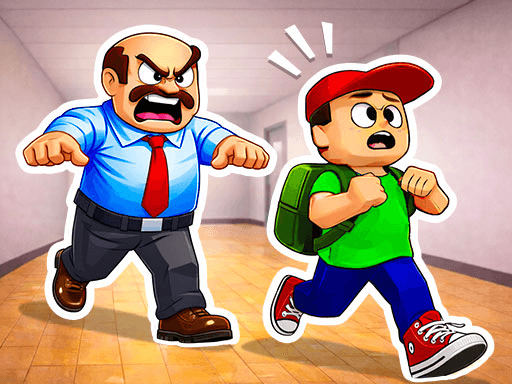
Escape School Duel turns the classic school-escape obby into a fast head-to-head hallway race. Every wing of the building throws a fresh obstacle at you—laser floors, collapsing desks, narrow cafeteria jumps, and long corridors patrolled by teachers and the principal who instantly send careless runners back to the last checkpoint.
What makes each run click is the contrast between speed and stealth timing. In open hallway stretches you want Left Shift (or K for Player 2) held down to build momentum, yet turning a corner blind at full sprint often lands you straight in a patrol line or a spiked floor trap. Learning when to pause behind lockers and when to commit to a double jump separates clean escapes from sloppy resets.
Both players get a responsive double jump—press Jump twice cleanly to clear tall classroom bookshelves, hop over sweeping beams, or correct your trajectory mid-air. Because checkpoints appear regularly along the route, neither player gets knocked all the way back to the lobby after a single mistake, keeping two-player duels neck and neck.
Whether you are playing solo for a faster clock or racing a classmate on one Chromebook or desktop keyboard, Escape School Duel loads straight in the browser with zero downloads or sign-ups.
Reading teacher patrol cycles early saves far more seconds than blind sprinting. When entering a long corridor, watching the principal or hall monitor turn gives you a reliable timing window to hold Shift or K all the way past classroom doors without getting sent back to the previous checkpoint.
In two-player duels, subtle mind games emerge naturally: leading slightly forces your friend to react to moving obstacles at your pace, while trailing half a step behind lets you spot tricky trap timings before committing your double jump.
Short hallway segments—from stacked desks and science labs to gymnasium hurdles—keep each section visually distinct so you always know how close you are to the exit gate. With instant checkpoint respawns and responsive double jumps, even tough jumps reward steady practice rather than cheap luck.
Because all controls run natively on a single desktop or Chromebook keyboard, Escape School Duel makes an easy head-to-head race whenever two friends want a quick five-minute showdown without installing anything.
Learning the difference between a single tap jump and a delayed double jump pays off across tight classroom sections. Single hops clear low chairs and hallway gaps without throwing off your rhythm, while holding the second jump until the last moment carries you cleanly over taller locker stacks and sweeping traps.
Escape School Duel Key Features & Highlights
Play alone to tighten your escape route or race side by side on a shared keyboard.
Slip past the principal in long hallways while timing jumps over classroom hazards.
Tap Space (or L for Player 2) twice mid-air to reach high ledges and clear wide gaps.
Each corridor, classroom, and gym segment shifts the obstacle pattern so memorizing routes pays off.
Plays immediately in HTML5/WebGL with no app store install or account required.
How to Play Escape School Duel - Rules, Goals & Controls
- 1Pick Solo or 2-Player mode when the game loads.
- 2Move with WASD (Player 1) or Arrow keys (Player 2) and hold Left Shift or K to sprint along open halls.
- 3Press Space or L once for a standard hop, or tap twice for a double jump over tall lockers and wide pits.
- 4Time your sprint around patrolling teachers and moving hallway hazards rather than rushing blind.
- 5Tag checkpoints throughout the building and reach the final exit before your rival.
Escape School Duel Pro Tips & High-Score Strategies
- Treat blind corners cautiously: peek at the teacher's patrol direction before holding Sprint down a corridor.
- Delay the second tap of your double jump slightly when aiming for small desk platforms so you drop vertically onto the surface.
- Watch your opponent's route in 2-player mode—if they trigger a timed trap early, follow immediately behind the reset window.
- Use Sprint only between stable landings; walking gives cleaner edge control on narrow beams.
- Memorize which obstacles allow shortcut hops over lockers to shave seconds off your best escape time.
This guide describes the version hosted on JoyArc. Explore more Arcade games.