Obby Rainbow Tower: Free 1P & 2P Parkour Game
Browser GameClimb icy rainbow platforms, dodge spinning lava bars, and race solo or local 2-player to the top.
Obby Rainbow Tower Keyboard & Mouse Controls
More Free Games You'll Love
About Obby Rainbow Tower
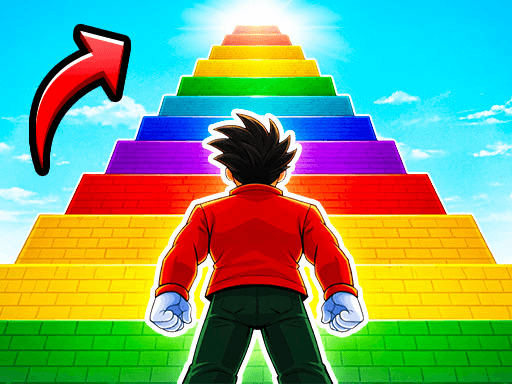
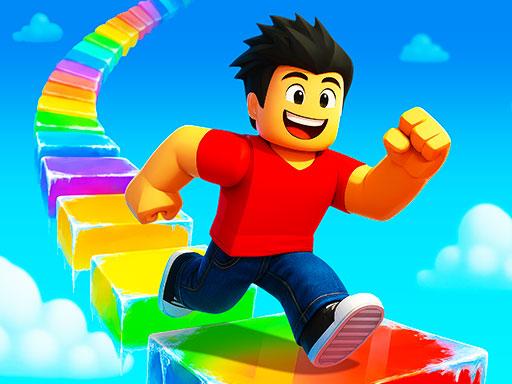
Obby Rainbow Tower brings the beloved vertical tower-climb obstacle course right into your browser—complete with both solo speedrunning and same-keyboard 2-player split-screen racing. Starting at the chilly base of a towering multi-colored structure, you leap upward across bright rainbow tiers filled with crisp platforming tests.
Each floor layers fresh hazards onto the climb so momentum never grows stale. Slippery winter ice patches test your braking control, sweeping spinning lava bars force crisp jump timing, moving walkways demand patient mid-air corrections, and glowing snowball portals whisk alert climbers upward when triggered at the right moment.
The built-in double jump is your best safety net and speedrun weapon combined. Using your first hop to clear a gap and holding your second jump until the last split second lets you recover from clipped edges, hop cleanly over swinging laser beams, or adjust onto tiny moving tiles without plunging back down several floors.
Switching to local 2-player mode transforms the tower into a hilarious side-by-side couch race. One player drives with WASD, Shift, and Space while the second takes Arrow Keys, K, and L on the same keyboard—making every slip on icy tiles or photo-finish leap at the summit an instant shared highlight.
Playable immediately inside JoyArc with no downloads or accounts needed, Obby Rainbow Tower fits seamlessly into both solo parkour practice and quick two-player browser challenges.
Obby Rainbow Tower Key Features & Highlights
Race the clock alone or challenge a friend side-by-side on one keyboard with dedicated P1 and P2 controls.
Climb colorful stacked floors featuring escalating obstacle layouts all the way to the peak.
Master slippery icy tiles, spinning lava bars, moving bridges, snowstorms, and portal jumps.
Combine Shift/K sprints with mid-air double jumps for crisp recoveries and daring shortcuts.
Jump smoothly with full keyboard bindings on PC or Chromebooks and intuitive touch controls on mobile.
Launch straight into the tower climb on JoyArc without installing any external launcher.
How to Play Obby Rainbow Tower - Rules, Goals & Controls
- 1Choose 1-Player mode for solo climbing or 2-Player mode to split the screen and race a friend on the same keyboard.
- 2Use WASD (Player 1) or Arrow Keys (Player 2) to line up squarely with each platform edge before jumping.
- 3Tap Space (P1) or L (P2) once to hop small steps, and tap a second time mid-air to double-jump across wider gaps or recover from slips.
- 4Hold Shift (P1) or K (P2) when you need extra sprint speed for long horizontal leaps, but release it on slippery ice tiles.
- 5Pause briefly before spinning lava bars and moving platforms so you leap cleanly into the open window rather than guessing mid-sprint.
- 6Chain steady jumps up every colored tier until you reach the summit crown ahead of the timer or your rival.
Obby Rainbow Tower Pro Tips & High-Score Strategies
- Save your second double-jump tap until you actually need horizontal correction or extra height—burning both jumps immediately at takeoff leaves zero recovery margin.
- Release sprint (Shift / K) right before landing on icy winter tiles so your character does not slide straight off the opposite ledge.
- Watch spinning lava bars for one full rotation before stepping out; jumping perpendicularly over the beam gives much cleaner clearance than chasing alongside it.
- In 2-player races, staying calm and avoiding falls beats reckless sprinting—dropping two floors costs far more time than pausing half a second for a moving block.
- Center your camera slightly downward before narrow beam jumps so you can judge your landing shadow accurately.
This guide describes the version hosted on JoyArc. Explore more Arcade games.